How-To Guides/Cash Wallets
Cash Wallets
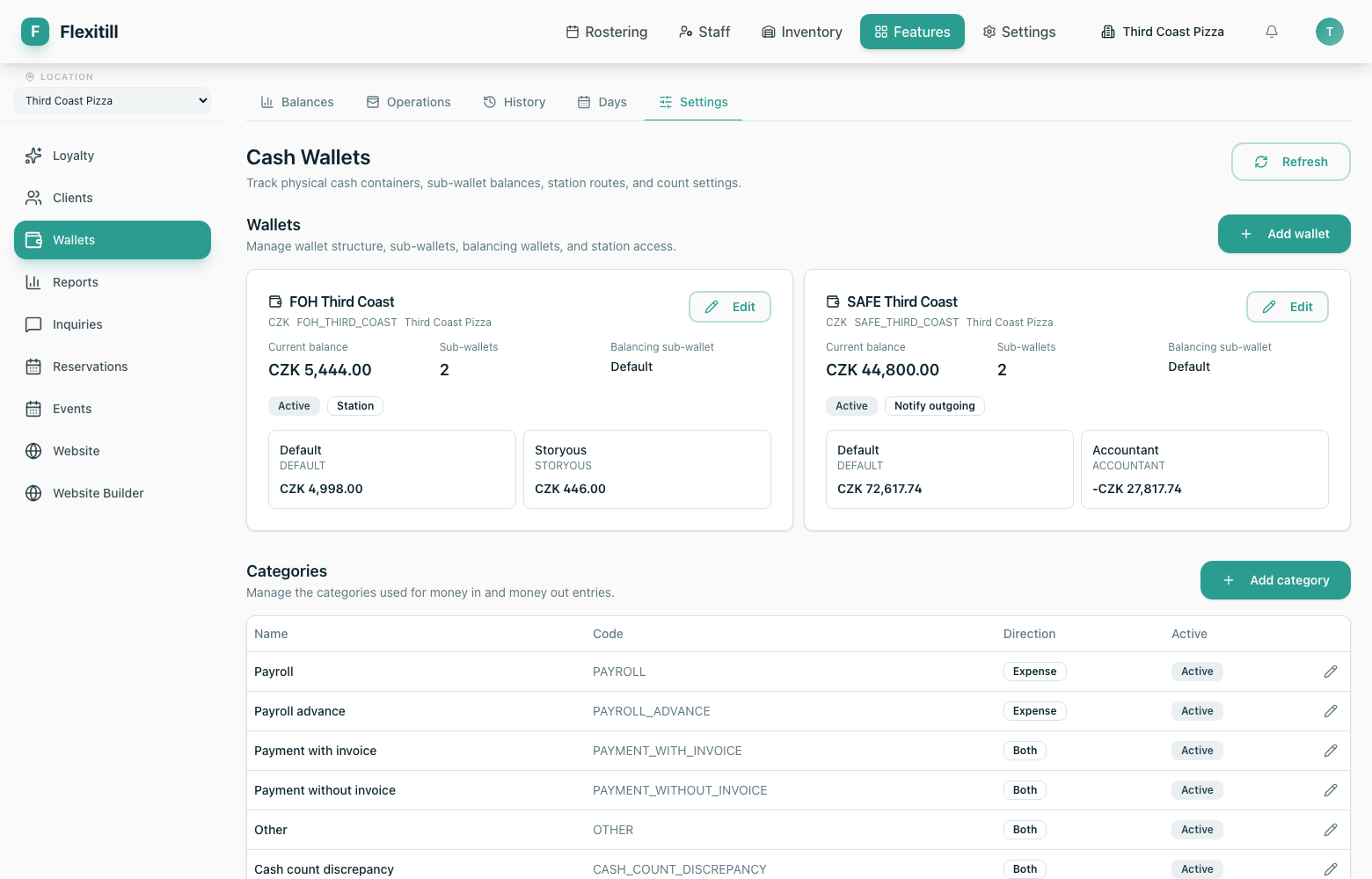
Tracking physical cash — tills, safes and sub-wallets, with daily counts and a full movement history.
Wallets overview
Where to find it·Features → Cash Wallets
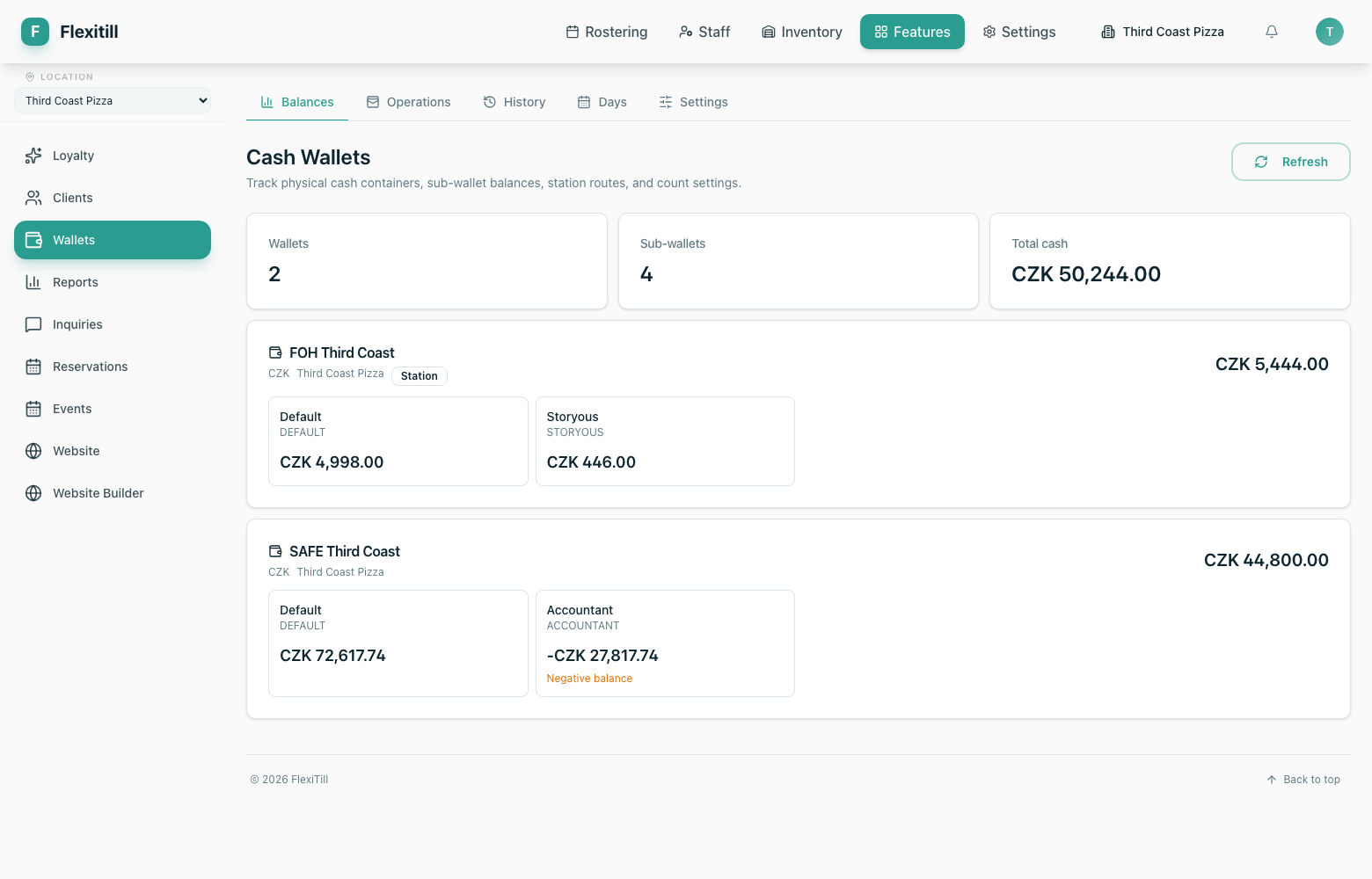
A wallet is a physical container of cash: a till drawer, a safe, a float. Sub-wallets divide a wallet further. The overview shows current balances across all of them.
Days
Where to find it·Features → Cash Wallets → Days
Cash is reconciled per business day. A day is opened, counted and closed; the status column tells you where each day stands.
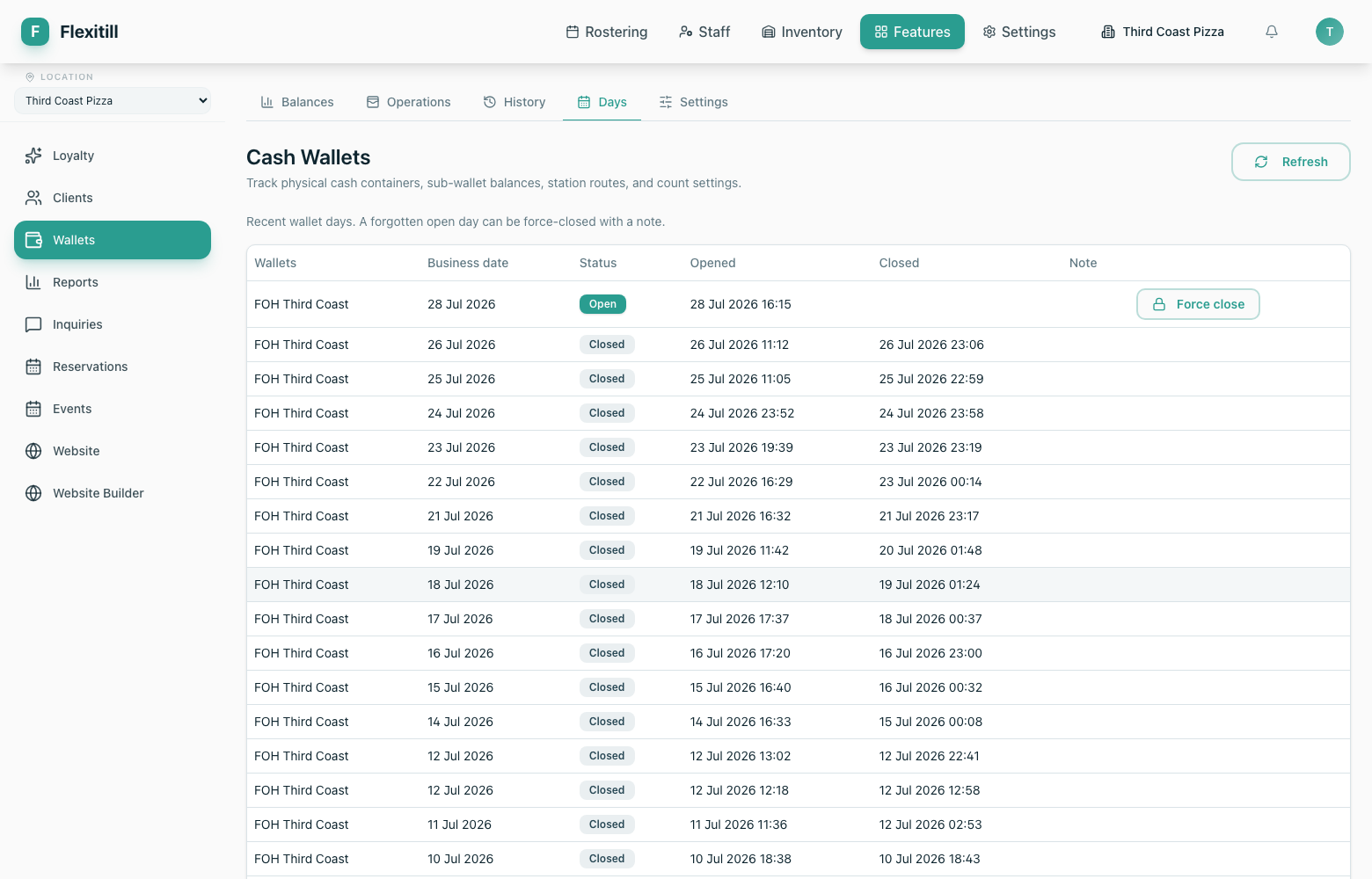
| Column | What it shows |
|---|---|
| Wallets | Which wallets the day covers. |
| Business date | The trading day, which may not match the calendar day. |
| Status | Open, closed or force-closed. |
| Opened / Closed | When the day was started and settled. |
| Note | Anything recorded by the staff member who closed it. |
Force close is for days left open in error. It closes the day without a matching count, and is recorded as such.
Operations and history
Operations
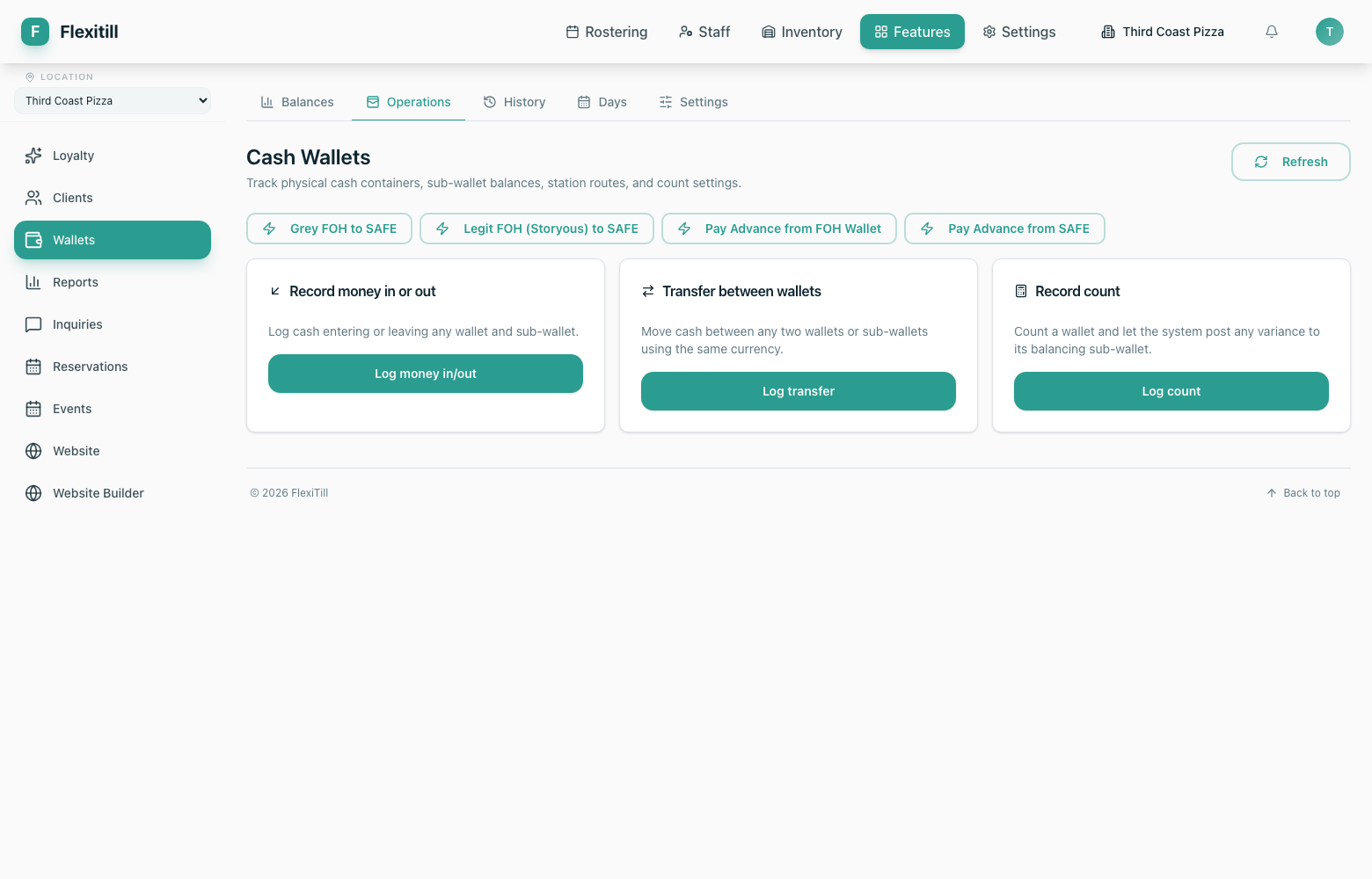
Move cash between wallets, record payments in and out, and run the quick actions your business has configured.
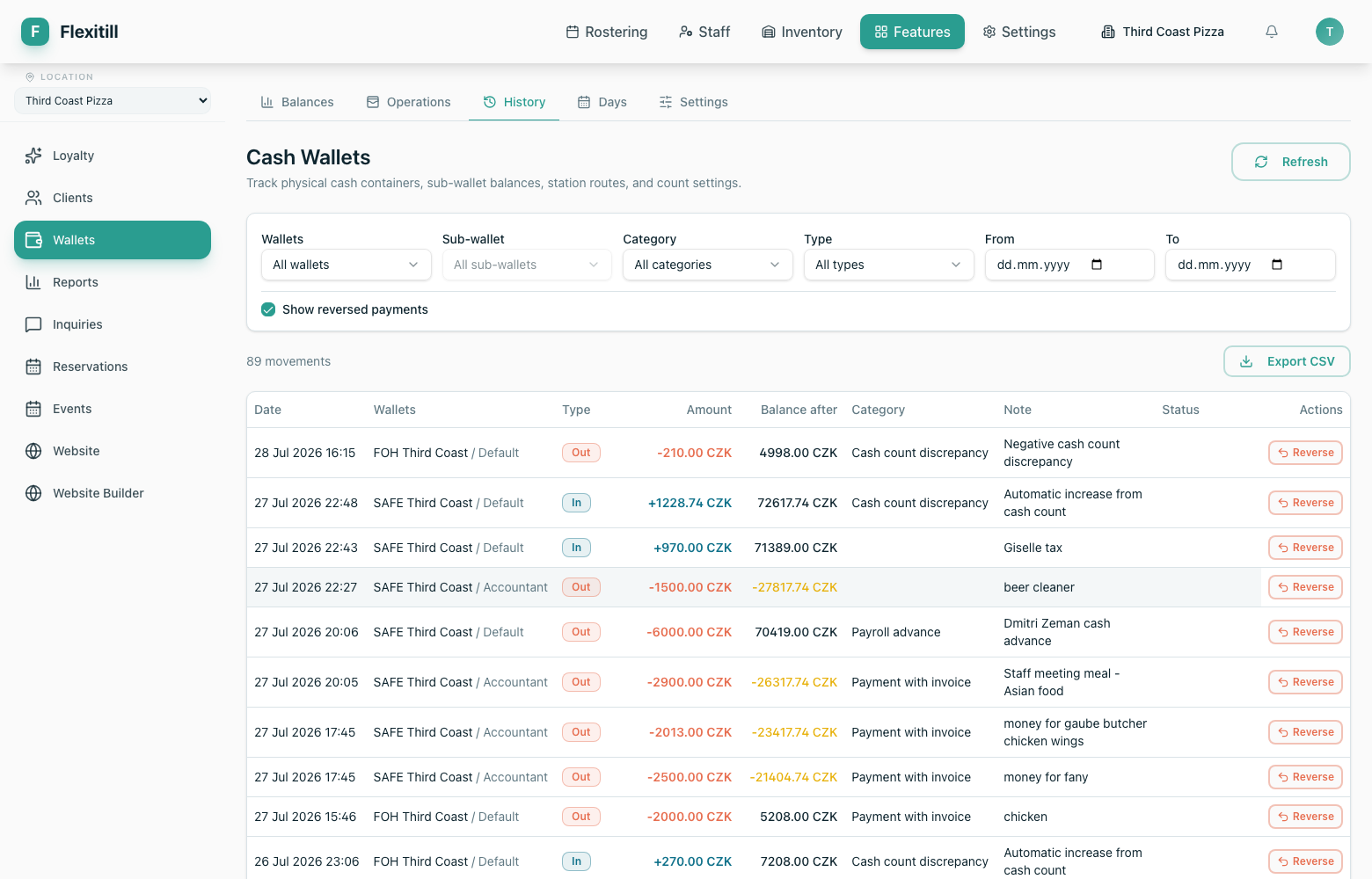
History
Every movement, with who made it and why.
Settings
Wallet structure, count rules and the quick actions available to staff.