How-To Guides/Holidays
Holidays
Reviewing, approving and tracking staff holiday requests.
Holiday requests
Where to find it·Staff → Holidays
Requests raised by staff arrive here. Filter to Pending Approval to see only what needs a decision, or All Requests for the full history.
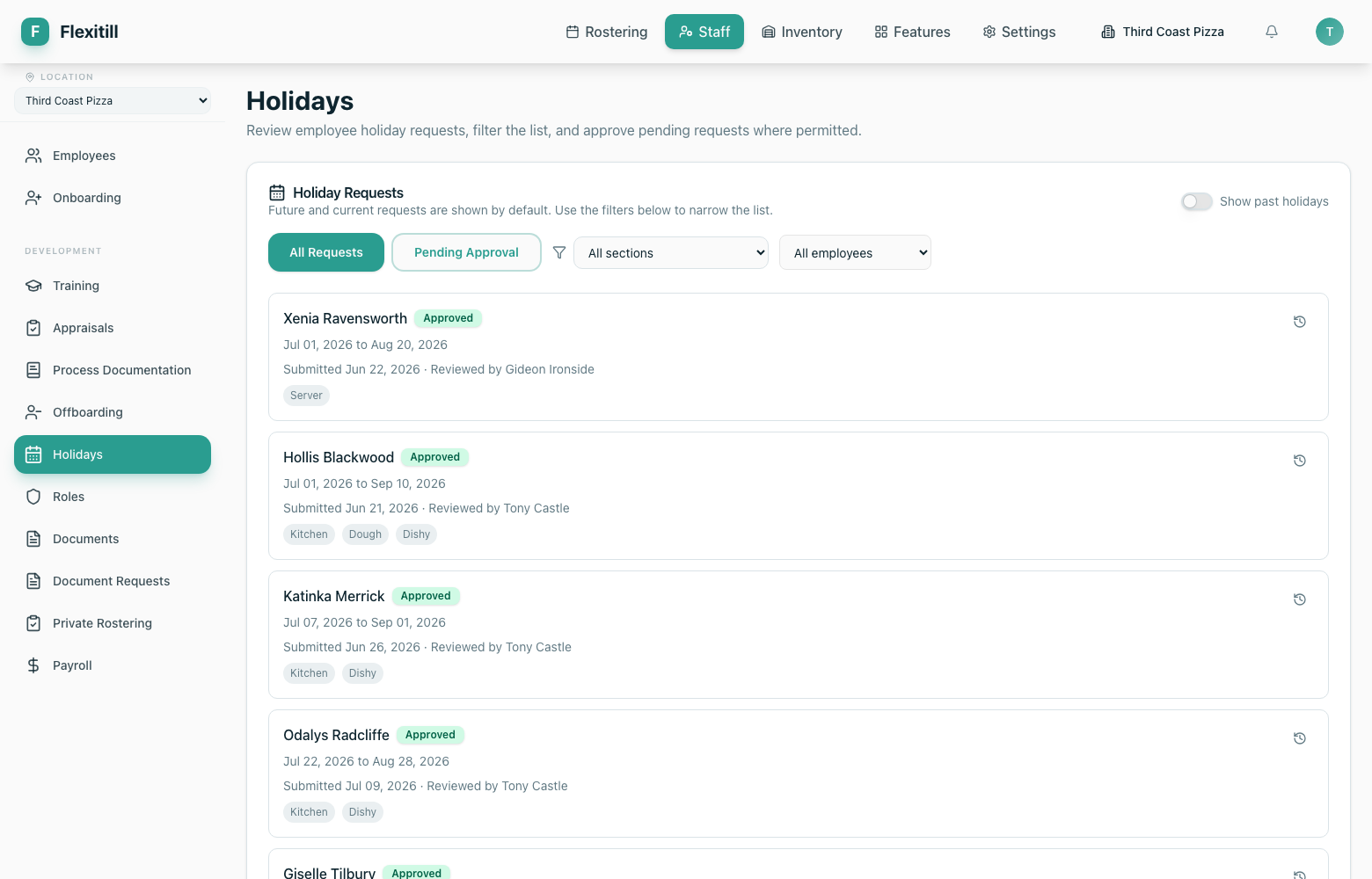
- 1Open Staff → Holidays.
- 2Switch to Pending Approval.
- 3Review the dates against the roster — approved holidays appear in the Roster Builder.
- 4Approve or decline. The employee sees the outcome under My Account → My Holidays.
Approved holidays show inline in the Roster Builder when Show holidays is switched on, so you do not roster someone who is away.